New: Discover diary entries in the calendar
When browsing a diary, you are not always looking for the latest entry. Sometimes you want to find a specific day, a certain phase within a month, or simply remember when you wrote something. That is exactly why monkkee now adds a new calendar page to the existing overview.
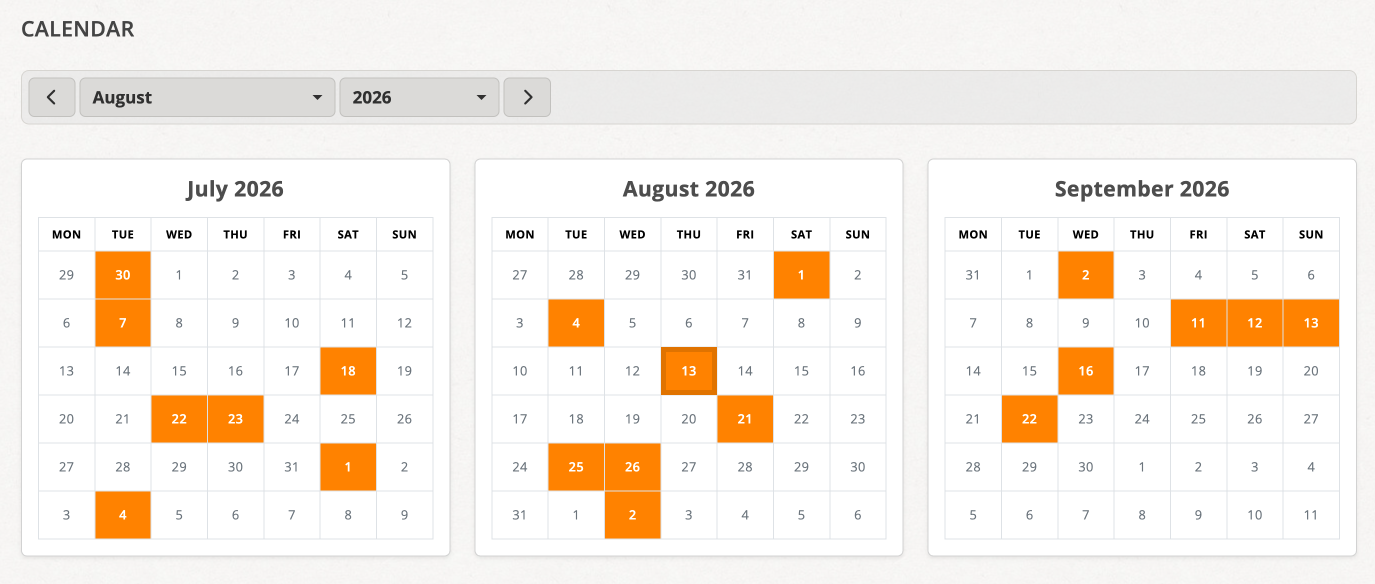
Instead of scrolling only through a continuous list, you can now navigate through your diary day by day. In the monthly overview, you can immediately see on which days entries exist. This creates a different perspective on your writing: not just as a collection of individual texts, but as a timeline across weeks and months.
See at a glance when something was written down
The new calendar page is available through its own menu item and complements the existing overview rather than replacing it. If you prefer browsing your entries in the classic way, you can continue to do so. The calendar view adds another perspective: it shows not only content, but also patterns.
That is especially interesting in a diary. Some weeks are full, others are nearly empty. Writing habits, intense phases of life, or deliberate breaks become visible immediately. Days with entries stand out in the monthly view, so you can see at a glance how “full” a month is.
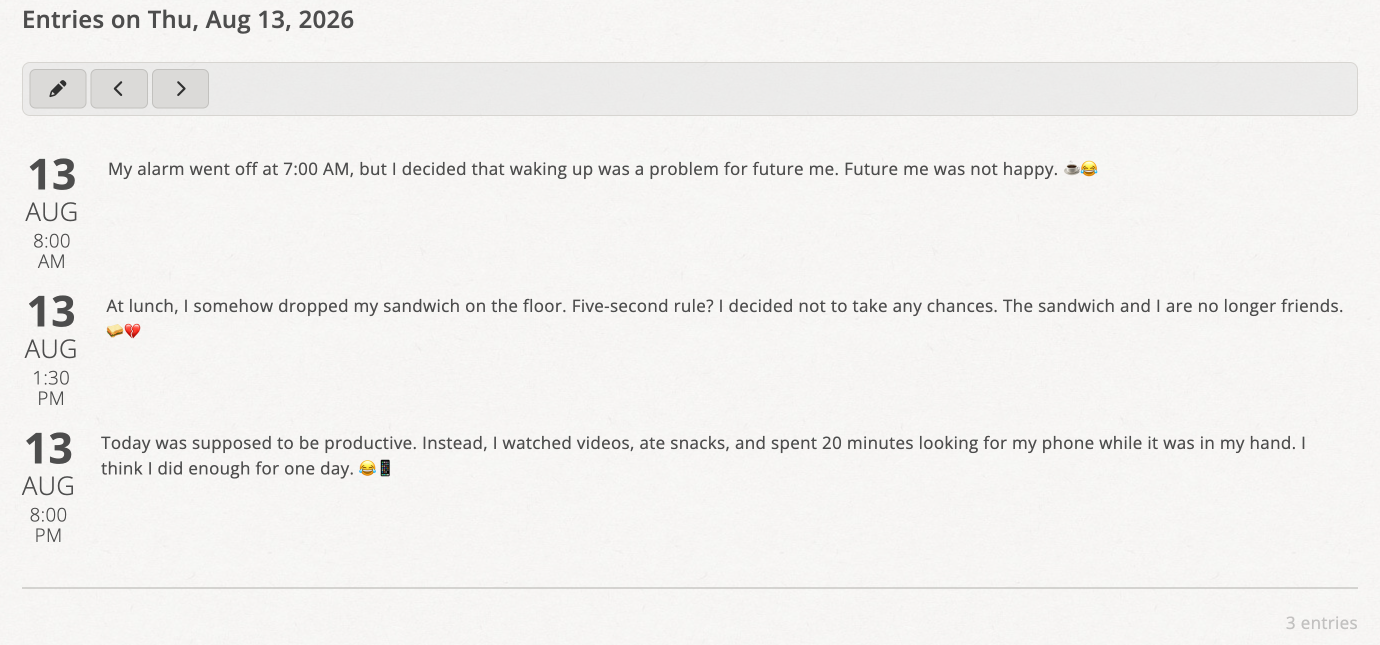
Below the monthly overview, the entries for the currently selected day are grouped together in one place. This allows the new view to combine overview and detail directly: the timeframe at the top, and the actual texts for the selected day below.
Jump quickly to older entries
The longer you keep a diary, the more important navigation becomes beyond just the most recent days. That is why the calendar view lets you do more than move to the previous or next month. You can also select the month and year directly. For dates further back, jumping across decades is possible as well. This makes the view especially useful for long-term journals.
If you already know roughly when an entry was created, this will often get you there much faster than the classic list.
Not just for reading, but also for continuing to write
The calendar page does not only show existing entries, it also makes it easier to continue writing. A selected day can be used directly as the starting point for a new entry. That is practical if you want to add something afterwards, complete a memory, or deliberately write for a specific date.
Navigation between days that actually contain entries is just as helpful. Instead of clicking through empty days, you can move directly to the previous or next day with entries. That keeps the focus on the relevant places in your diary.
Survey
How do you like the new calendar view? I would be happy to receive your feedback in this anonymous survey. The link leads to an external Google service. Google’s privacy policy applies to the survey.